Cloud Summit Climb Player's Guide: Mechanics, Controls & Strategies
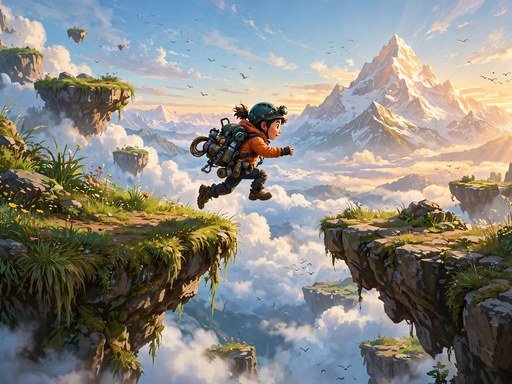
Cloud Summit Climb is a vertical platformer with one rule: up. Your little climber bounces from floating platform to floating platform, higher and higher above the clouds, and the only way is the way up. You never press a button to jump — the climber bounces on his own — and your whole job is steering: left and right, through the gaps, onto the next platform before the screen scrolls past. The first platforms are wide and forgiving, the clouds drift by lazily, and the climb feels like a walk. Then the platforms narrow, the gaps widen, and the game becomes a test of reading the pattern two platforms ahead. Fall below the screen and you lose a life. Lose three and the mountain wins. It always wins eventually — the question is only how high you get first.
Independently tested and verified on volton.my (Nov 2026). Sandboxed in modern HTML5 canvas with zero external app downloads, responsive input latency, and full cross-device compatibility.
How to Play Cloud Summit Climb
Cloud Summit Climb begins the moment you press Play. The objective is to climb as high above the clouds as you can, and the game gives you everything you need on one screen: your score and the board itself. There is no download and no account to create — the game runs instantly in any modern browser, and a fresh run is one click away whenever the current one ends.
Controls: Move: Arrow Keys or A/D (drag on touch) • Pause: P • Mute: M • Restart: R
Scoring & Progression
Your result in Cloud Summit Climb is a straight record of how well you played. The game shows your progress at the top of the screen and saves your best result in your browser, so every run is a chance to beat your own record. The challenge tightens as you go on, which is why a good result here is worth more than a lucky one.
Strategy Tips for Cloud Summit Climb
- Steer toward the next platform while you are still bouncing, not after you land — the bounce gives you time to aim.
- Stay near the centre of the screen so you can reach platforms on either side.
- Do not chase a narrow platform far to one side when a wide one sits just above you.
- When the platforms thin out, take the highest platform you can reach, even if it is small — height is safety here.
- If you are falling, steer toward the nearest platform below you instead of the one you wanted. Any landing beats a fall.
What Makes Cloud Summit Climb Different
What makes Cloud Summit Climb different from other climbing games is the way the camera works. The screen only scrolls upward, never down, so every platform you leave behind is gone for good. That single rule changes the whole feel of the game: you cannot go back for a platform you missed, you cannot wait for a better one to come to you, and the only safe place is the next platform up. The climber bounces automatically, which means your hands are free to think about steering instead of jumping, and the height counter ticks upward with every metre — a small, steady reward for a climb that never stops asking for more.
Advanced Techniques
The advanced game is about looking up. Skilled climbers read the pattern two platforms ahead, because the platform you are bouncing toward is already decided by the time you land on the one below it. A useful habit is to stay near the centre of the screen, where you can reach platforms on either side, instead of drifting to the edges. Another is to take the highest platform you can reach even when it is small — height is safety, and a small platform above you is worth more than a wide one below. The last skill is recovery: when you miss a platform, steer toward the nearest one below you instead of the one you wanted. Any landing beats a fall.
Playing Cloud Summit Climb on Mobile & Desktop
Whether you play on a desktop keyboard or a phone screen, Cloud Summit Climb feels the same — responsive, immediate, and fair. Touch players get the same controls as keyboard players, sized for fingers rather than keys, and the game adapts to portrait and landscape screens alike. Because it is a self-contained HTML5 game, there is nothing to install and nothing to update: it opens in any modern browser and plays at a steady frame rate on modest hardware. Parents will find nothing here to worry about — the game is family-safe, with no downloads, no chat, and no purchases.
Frequently Asked Questions (FAQ)
Q: How do I move the climber?
A: Use the Arrow Keys or A/D on desktop, or drag on the screen. The climber bounces automatically.
Q: How do I score points?
A: Your score is your height in metres. Every platform you climb adds to your height.
Q: What happens if I fall?
A: Falling below the screen costs one of your three lives. Losing the third life ends the climb.
Q: Do the platforms get harder?
A: Yes. Platforms get narrower and further apart the higher you climb, so later sections demand sharper steering.
Quick Controls Guide
Move: Arrow Keys or A/D (drag on touch) • Pause: P • Mute: M • Restart: R