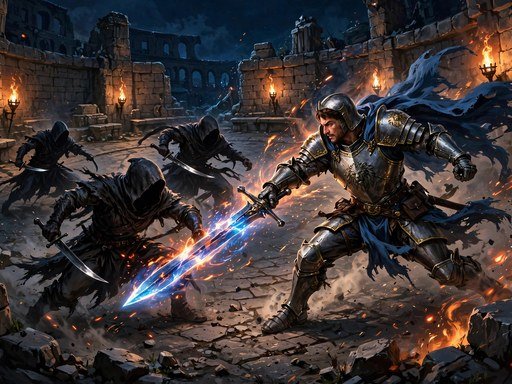
In-Depth Ember Turret Defense Review, Controls & Tactical Guide
Ember Turret Defense gives you one turret, one wall, and a sky that is falling. Ember creatures drift down in ones and twos at first, slow enough that you can pick them off at your leisure, and then in clusters that force you to choose which creature matters most. The turret slides along the base of the screen, your shots fly straight up, and every creature that slips past costs you a life. It sounds simple, and for the first thirty seconds it is. Then the spawn rate climbs, the creatures get quicker, and the game turns into a test of target selection: the slow creature at the top of the screen can wait, but the fast one three rows from your wall cannot. That judgement call, made five times a minute, is the whole game.
Independently tested and verified on volton.my (Nov 2026). Sandboxed in modern HTML5 canvas with zero external app downloads, responsive input latency, and full cross-device compatibility.
How to Play Ember Turret Defense
Ember Turret Defense begins the moment you press Play. The objective is to hold the wall for as many waves as you can, and the game gives you everything you need on one screen: your score, your three lives, and the playfield itself. Ember creatures are the heart of the game — blast them well and your score climbs; Blast them badly and the run ends sooner than you would like. Your best score is saved in your browser, so every run is a chance to beat the last one. The game needs nothing installed and no account: it plays instantly in any modern browser.
Controls: Move turret: Arrow Keys or A/D (drag on touch) • Fire: Space or tap • Pause: P • Mute: M • Restart: R
Scoring & Progression
Your score in Ember Turret Defense is a straight record of how well you played — nothing hidden, nothing random. Ember creatures are worth points, mistakes cost three lives, and the game shows your total at the top of the screen from the first second to the last. As the run goes on, the challenge tightens: things move faster, gaps get narrower, and the margin for error shrinks. That is why the best score saved in your browser means something — it is the best run you have ever had, and the next one starts one click away.
Strategy Tips for Ember Turret Defense
- Always shoot the lowest creature first, because it is closest to your wall and the one that will cost you a life soonest.
- Keep the turret near the centre between waves so you can reach either side of the screen in the shortest time.
- Fire in short bursts rather than holding the button down, so every shot goes at a creature you actually chose.
- Watch for clusters: when three creatures fall in one column, clear the lowest one first and the rest will line up behind it.
- Let a lone slow creature at the top of the screen wait while you deal with a fast one near the wall — patience is a weapon here.
What Makes Ember Turret Defense Different
The difference between Ember Turret Defense and a typical shooter is that your shots never miss by accident — they only miss because you aimed at the wrong creature. There is no spread, no random recoil and no upgrade shop to hide behind, so the game is a pure test of prioritisation. The creatures fall at different speeds, which means the nearest one is not always the most dangerous one, and the scoring rewards the same discipline: fifteen points per creature, no bonus for spraying shots at the sky. Holding the fire button feels productive, but the players who post the biggest scores are the ones who fire in short, deliberate bursts at the lowest creature in each column.
Advanced Techniques
The advanced skill in this game is target triage. With practice you will stop looking at the creature nearest your shots and start looking at the creature nearest your wall, because that is the one that ends runs. Skilled players keep a mental queue: the lowest creature in each column, in order, and they work the queue from the bottom up. Another habit worth building is the pause between bursts — a short gap after each kill lets you re-aim instead of spraying shots at empty sky. The final refinement is positioning: the turret or ship should spend most of its time near the centre, because the centre is the shortest route to either side when a fast creature appears where you least expect it.
Playing Ember Turret Defense on Mobile & Desktop
Whether you play on a desktop keyboard or a phone screen, Ember Turret Defense feels the same — responsive, immediate, and fair. Touch players get the same controls as keyboard players, sized for fingers rather than keys, and the game adapts to portrait and landscape screens alike. Because it is a self-contained HTML5 game, there is nothing to install and nothing to update: it opens in any modern browser and plays at a steady frame rate on modest hardware. Parents will find nothing here to worry about — the game is family-safe, with no downloads, no chat, and no purchases.
Frequently Asked Questions (FAQ)
Q: How do I fire the turret?
A: Press Space or tap the screen. The turret fires straight up from its current position.
Q: What happens if a creature reaches the wall?
A: It costs you one life. You start with three lives, and losing the third ends the run.
Q: How do waves work in Ember Turret Defense?
A: A new wave begins every eight kills. Each wave spawns creatures faster and makes them fall more quickly.
Q: How many points is each creature worth?
A: Every creature you blast is worth fifteen points, and your best score is saved in your browser.
Quick Controls Guide
Move turret: Arrow Keys or A/D (drag on touch) • Fire: Space or tap • Pause: P • Mute: M • Restart: R